Back to FAQ Main Page

Why Isn’t My Account Working Correctly?

Why Does My Dashboard Look Weird?

If you are having issues accessing anything on your dashboard or the formatting is looking off - have you tried unplugging it and plugging back in? Just kidding :) but the equivalent of this classic fix for website browsers is clearing the cache/cookies on your browser. This will almost always be the first thing our team asks you to try and it fixes almost 90% of these issues. 

The next step if that doesn’t work is logging in on a different device or browser, particularly a device that is not connected to the school internet - this will help us narrow down any possible remaining issues. 

Once you have cleared the cache on your browsers, if you are still having issues, please reach out to our team with a screenshot of what you are seeing on your end - and let us know that you have already cleared the cache and/or tried on a different browser and are still seeing this issue. We will help you resolve this issue ASAP!

Why Won't My Curriculum Videos Play?

If you are having trouble with your curriculum videos not displaying or playing, this tends to be a firewall issue but for good measure, we will again ask you to clear the cache/cookies on your browser or try from a different browser. 
The big key for determining if it is a firewall issue - can you access the videos from your mobile device or a computer not connected to school internet? If so, then we almost certainly have our answer. If this is the case, please reach out to someone in your school or district IT department - feel free to loop our team into these conversations at any point.

Some background information and talking points for your IT Department:
  1. 2Words is a company that our department has paid for this year, and we are having trouble accessing their videos. Can you make sure their website is whitelisted or added to an approved list? www.2words.tv and/or portal.2words.tv
  2. 2Words videos are hosted on Vimeo and embedded directly into their portal. Does the district allow for staff to access Vimeo?
  3. 2Words has the backup option of Dropbox - can staff access Dropbox?
  4. Is there any vendor paperwork they need to fill out to be approved or cleared?

The above steps are the preferred and easiest way to get access to all that 2Words provides.

Last Resort Option: If 2Words were to provide a list of individual Vimeo links, could the district add those specific links to an approved list for staff to access?

NOTE: If you need Dropbox Video links in the meantime while this gets sorted - don’t hesitate to ask! 

Why Can’t I Login?

Our team resets account passwords every year as part of our renewal processes. If you can't login, this may be why. Look for an email from our team (most likely from Windy@2words.tv) with your new login credentials for the year.

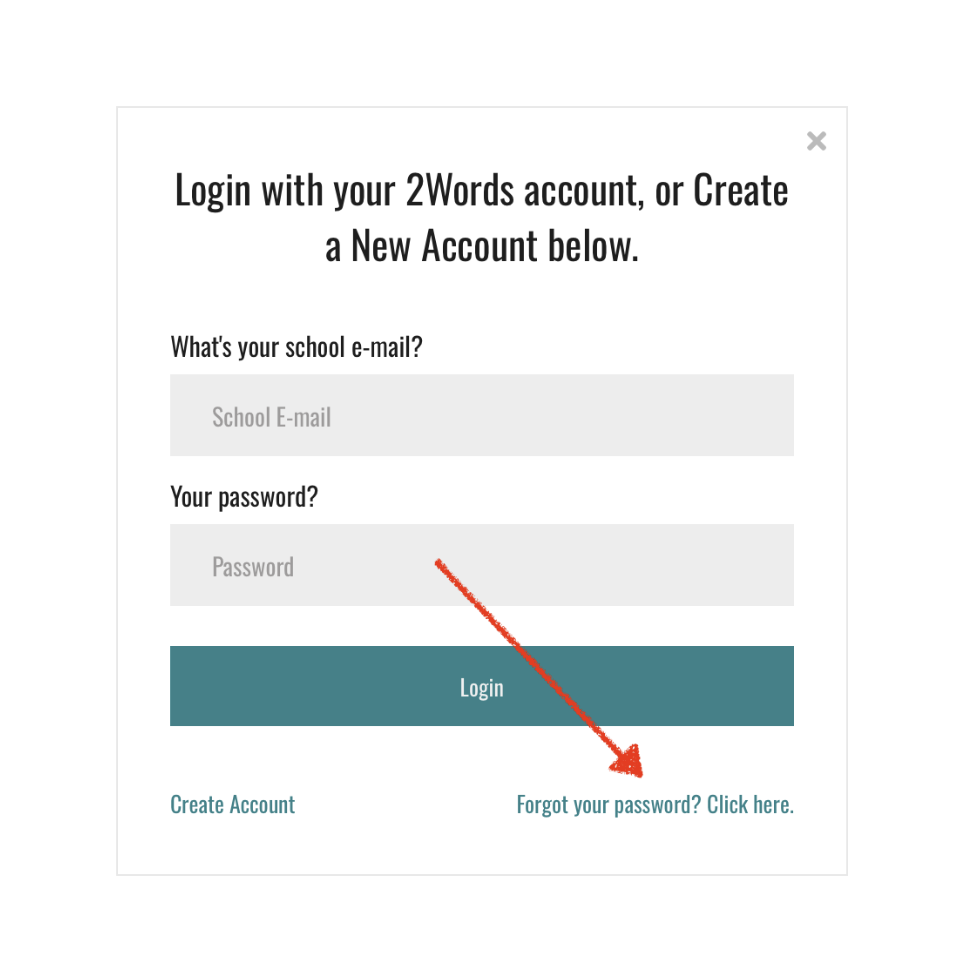
If that still doesn’t work, try resetting your password here or from the login page shown below. 
If you do not receive a password reset email, it’s possible our system is not finding an account under that email address. Please reach out to our support team and share your district, campus, and title so that we can 1. Look for an account 2. Set up an account if needed. The more information you can provide at first, the quicker we can get you set up!
  Back to FAQ Main Page