Back to FAQ Page
How do I share content virtually with my team?
Sharing To Learning Management Systems, Sharing on sportsYou
*Reminder! It is against our Terms of Use to share the content outside of whom the curriculum was purchased for. Please do not allow any outside Coaches, Campuses, or Students access to your group if sharing the weekly curriculum.

SHARING CONTENT TO LEARNING MANAGEMENT SYSTEMS
Our curriculum is set-up to be fully accessible online and offline through your member portal and video and workbook downloads. This also makes our curriculum easily shareable to any Learning Management System of your choice: (i.e. sportsYou, Google Classroom, Schoology, Canvas, Blackboard, etc).
Exact processes may vary based on your LMS, but below is a simple step by step of downloading the curriculum to add to a virtual classroom or other means of communication with your athletes and families.
STEP 1: Download the Workbooks
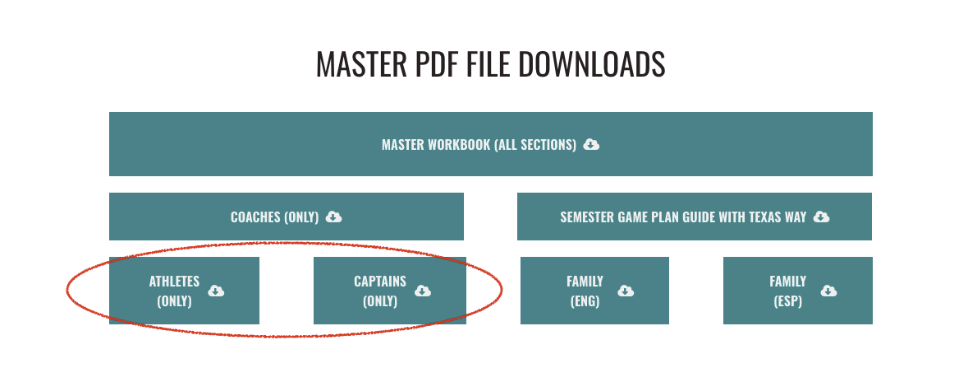
Download the Workbook for re-upload to the system of your choice. Use the Master Files at the bottom of each semester page to download all Athlete pages or Captains pages at once. You can do the same for family pages in English and Spanish if you send out communications to your parents.


STEP 2: Download the Videos
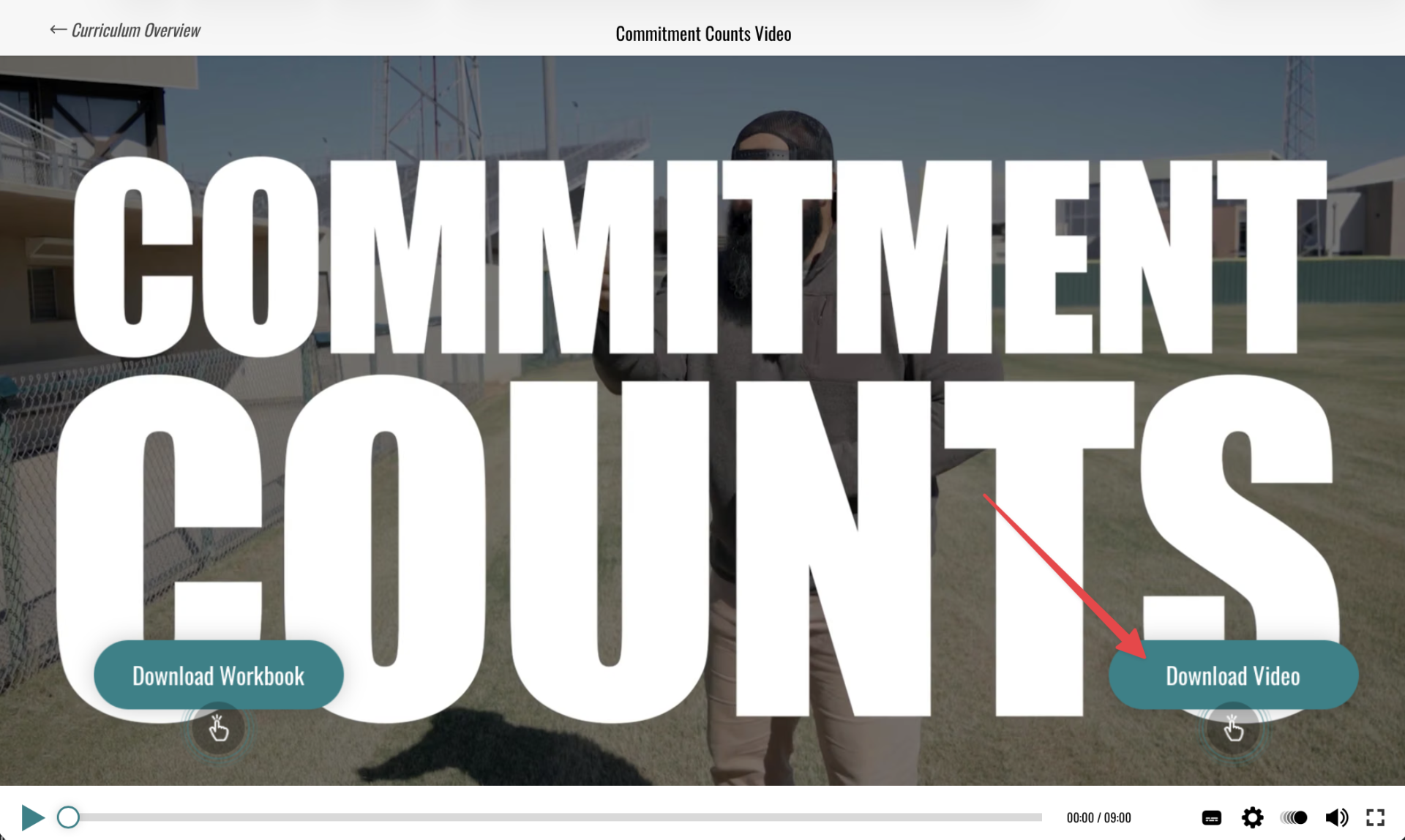
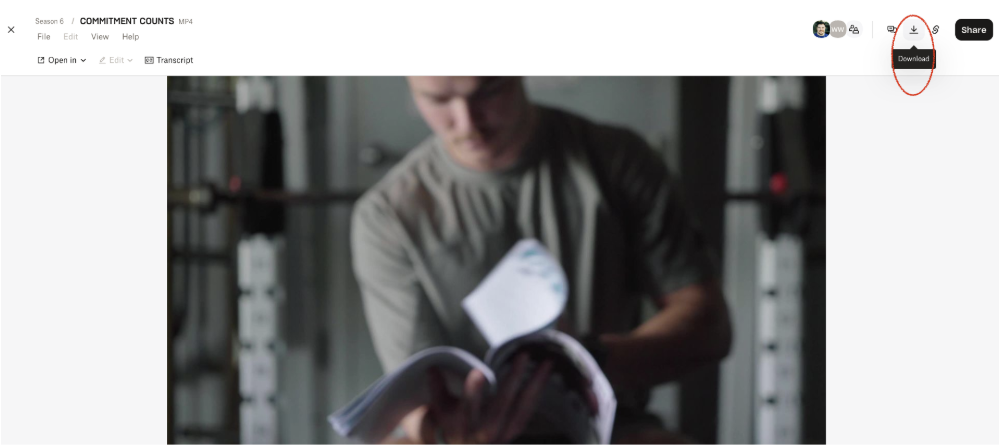
Download the Videos for re-upload to the system of your choice. When viewing the curriculum video for the week, press the “Download Video” button on screen. This will take you to Dropbox where you can then download the video without logging in to Dropbox. (Note: The button appears at the beginning and end of each video)


Alternatively, you can also copy and paste the Dropbox URL to insert into your LMS or communication of choice. It is against our Terms of Use to share the content outside of whom the curriculum was purchased for.
PLEASE NOTE: Dropbox does not allow us to transfer Spanish subtitles over to their platform. If you need the videos with Spanish subtitles, or can not use Dropbox due to school firewalls, please reach out to our team for Vimeo Links.

For a more detailed tutorial of Downloading content, visit our FAQ Page on this topic.
SHARING ON SPORTS YOU
Click here for a specific tutorial about sharing content on sportsYou!
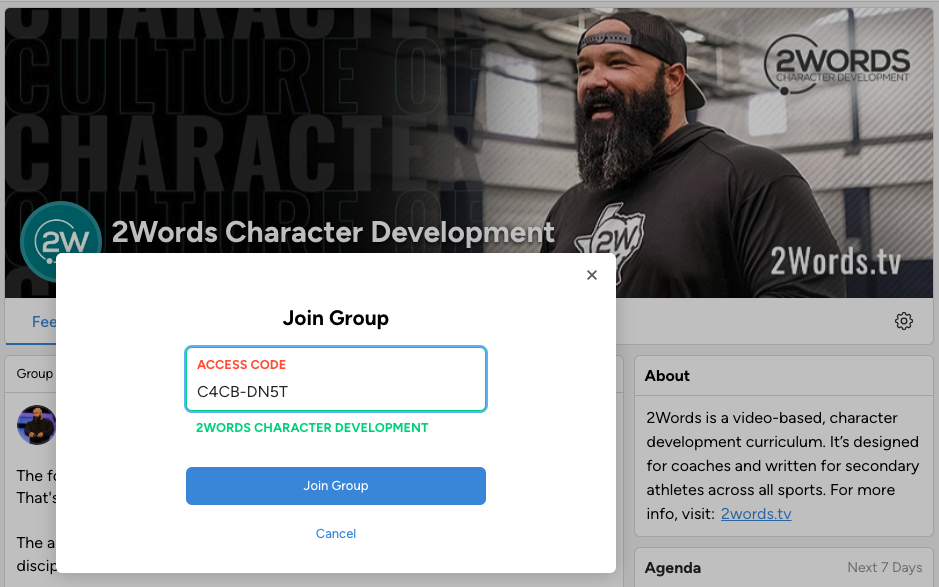
JOIN OUR SPORTSYOU SOCIAL GROUP
2Words has created a sportsYou Group where we will post content, video clips, encouragement, and more!
Dive deeper with us by joining our Group with the following code: C4CB-DN5T
Click here if you are new to sportsYou and need more help connecting with us there!
Dive deeper with us by joining our Group with the following code: C4CB-DN5T
Click here if you are new to sportsYou and need more help connecting with us there!

Empty space, drag to resize
Back to FAQ Page
2Words is a video-based, character development curriculum. It’s designed for coaches and written for secondary athletes across all sports.
Quick Links
Copyright © 2026